Tag: course materials

  • What to Do When Your Textbook Requires an Access Code

    What to Do When Your Textbook Requires an Access Code

    If your syllabus says you need a textbook access code, the most important thing to know is this: the code may matter more than the book. A used or rental copy can still be a smart buy, but only if your class does not require a one-time login for homework, quizzes, or an eBook platform.

    That is why the first move is not hunting for the cheapest copy. It is figuring out exactly what your class actually requires. Publisher help pages for Pearson access code help, Cengage MindTap access code registration, and McGraw Hill Connect access code and purchase options all point to the same basic reality: access codes are tied to courseware, and not every book you buy secondhand will unlock that courseware.

    Student checking online course materials beside an open textbook.
    Before buying used, confirm whether the course requires a fresh access code for homework, quizzes, or graded online work.

    Quick answer: if homework is in the platform, the code matters more than the book

    If your grade depends on MyLab, MindTap, Connect, WebAssign, ALEKS, or another homework platform, treat the access code as the real requirement and the print book as a separate decision. If the course only uses the book for reading, note-taking, or reference, you have much more flexibility.

    That distinction is the whole game. Students often buy a cheap used copy first and only later discover that the homework portal is where the assignments live. By then, they have paid twice.

    The safest default is simple:

    • if the platform is required for graded work, verify the code first;
    • if the code is optional, compare used, rental, and digital copies like normal;
    • if you are unsure, ask before checkout.

    Textbook Nova is useful here because you can compare exact ISBNs and editions before you commit. Search Textbook Nova by title or ISBN, then check whether the print book is really separate from the courseware.

    Step 1 — Identify what is actually required

    Check the syllabus and bookstore listing for platform names

    Look for words like access code, eBook, courseware, homework manager, license, digital homework, or registration. The exact brand name matters too. A class might use Pearson, McGraw Hill, Cengage, or a school-specific portal, and each one has its own buying path.

    If the syllabus only names the print textbook, you may not need a code at all. If it names both the textbook and the platform, the platform is probably part of the class requirement.

    Confirm whether the code is for reading only or graded work

    Some access codes unlock an eBook. Others unlock graded assignments, quizzes, or adaptive practice. Those are not equally optional.

    A code that only unlocks reading is easier to replace than a code that controls your homework grade. If the assignment system is built into the class, plan around that early so you do not get stuck waiting on shipping or bookstore support in week one.

    Step 2 — Do not assume a used textbook includes a usable code

    Why most codes are one-use

    Publisher support pages are very clear that access codes are generally tied to a single student account. Pearson’s access-code help warns that codes from used books have probably already been redeemed. Cengage explains that an access code acts as proof of purchase for MindTap courseware or eBook access.

    In plain English: a used book can still be a good buy, but the code inside it may be worthless.

    When a sealed access card or new bundle might still be valid

    A sealed access card, a fresh bookstore bundle, or a new copy that clearly includes unused access may still solve the problem. The key word is unused. If the seller cannot verify that the code is still valid, assume it is not.

    That is especially important if you are buying from a marketplace listing that does not clearly separate the book from the access package.

    Step 3 — Compare the real options before you buy

    Standalone access code or direct course purchase

    Sometimes the cheapest path is to buy access without the print book at all. If you already have a book or only need the platform, this can be the cleanest move. McGraw Hill’s Connect access code and purchase FAQ lays out multiple purchase paths, including direct purchase and bookstore options.

    Campus bookstore bundle, inclusive access, or temporary access

    Sometimes the bookstore bundle is the better value. Sometimes the school has already added the content through inclusive access or day-one access, which means the cost may already be embedded in your course bill. Student PIRGs’ 2026 report, Fixing the Broken Textbooks Market, Fourth Edition, explains how access codes and automatic billing can narrow student choice, so it is worth checking whether you are already paying for access before you buy anything extra.

    Some platforms also offer temporary access or a short trial period. That can be a useful bridge if you are waiting on financial aid, a bookstore order, or instructor confirmation. Just do not mistake temporary access for a full-term solution.

    The decision should be based on the total cost and the actual course requirement, not the first price you see.

    Step 4 — Questions to ask before you spend money

    Ask the instructor about older editions, optional print, and OER

    This is where you can sometimes save the most. Ask whether an older edition is acceptable, whether the print book is optional, or whether a free/open alternative would work for the reading portion of the class.

    OpenStax’s student book access help is a good reminder that some textbooks are available free online or as PDFs. That will not replace every required homework platform, but it can sometimes cover the reading requirement while you sort out the rest.

    Ask the bookstore or publisher support about refunds, duration, and course-section match

    Before you buy, confirm three things:

    1. Does the code match my exact course section?
    2. What happens if I buy the wrong version?
    3. Is there any refund policy or replacement policy if the access does not work?

    Do not rely on assumptions here. A code for the right title but the wrong section can still fail when you try to register it. And access terms can vary by publisher, school, and platform.

    Common mistakes that make students buy twice

    The most common mistake is buying the cheapest book first and asking about access later. The second mistake is assuming any used copy will include a working code. The third is mixing up a reading requirement with a graded homework requirement.

    A few more expensive mistakes:

    • buying the wrong edition because the title looked close enough;
    • assuming the bookstore bundle is automatically the cheapest option;
    • ignoring temporary access when you need a short bridge;
    • waiting until the night before class to sort out registration.

    Bottom line checklist before checkout

    Use this before you click buy:

    • Is the access code required for graded homework or just for reading?
    • Does the syllabus name a specific platform like MyLab, MindTap, Connect, WebAssign, or ALEKS?
    • Are you sure the used or rental copy includes unused access, if needed?
    • Have you compared standalone access, a bookstore bundle, and any school-billed access?
    • Have you asked whether an older edition, OER, or a free library option would work?
    • Have you verified the exact ISBN and course section?

    If you can answer those questions clearly, you are in good shape. If you cannot, pause before paying.

    The short version is this: do not treat the book and the code as the same purchase. Figure out what the class actually needs, compare the real options, and then buy only once.

    When you want to compare exact editions or search for a better print copy after you have sorted out the access code question, Textbook Nova is a good place to start.
  • How to Save Money on Textbooks in 2026: A Practical Student Checklist

    How to Save Money on Textbooks in 2026: A Practical Student Checklist

    If you want to spend less on textbooks in 2026, the fastest path is not a random coupon search. Start by comparing the exact ISBN, questioning whether you truly need the newest edition, and checking whether the class uses an access code or automatic billing. Those three decisions usually matter more than any one marketplace price.

    That advice is even more important now than it used to be. In its 2026 report, Student PIRGs says students are still dealing with access codes, automatic textbook billing, and other course-material traps even as open educational resources become more common. And the College Board’s 2025 Trends in College Pricing and Student Aid report reminds us that books and supplies are still part of the overall cost of attendance, including hardcopy textbooks, online textbooks, rentals, and other supplies.

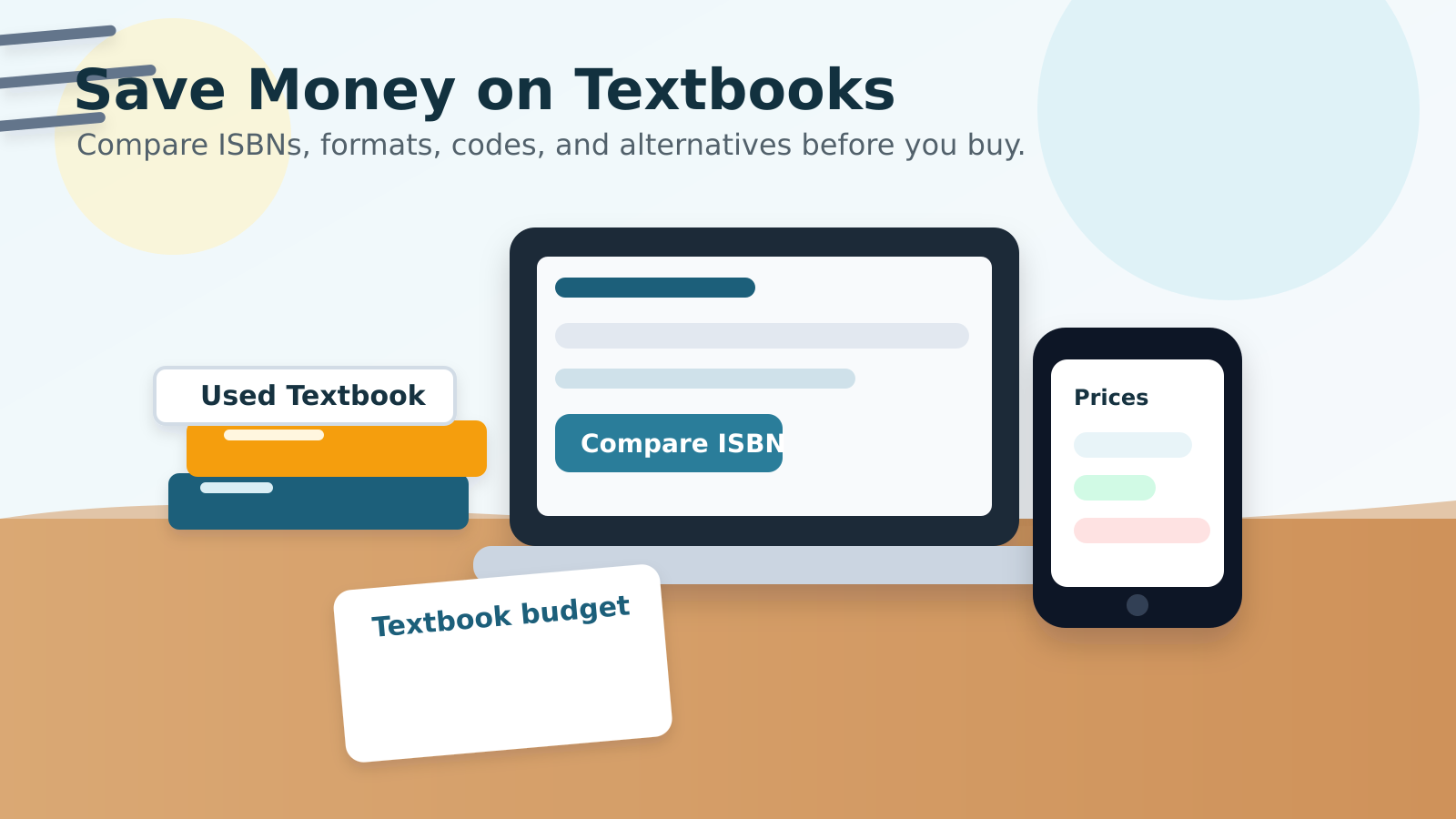
    Student desk with textbooks, laptop, notebook budget checklist, and phone price comparison for saving money on textbooks in 2026.
    A practical textbook plan starts before checkout: compare the ISBN, format, access-code rules, and total cost.

    So here’s the practical version: save where you actually have control, and don’t overpay for features you don’t need.

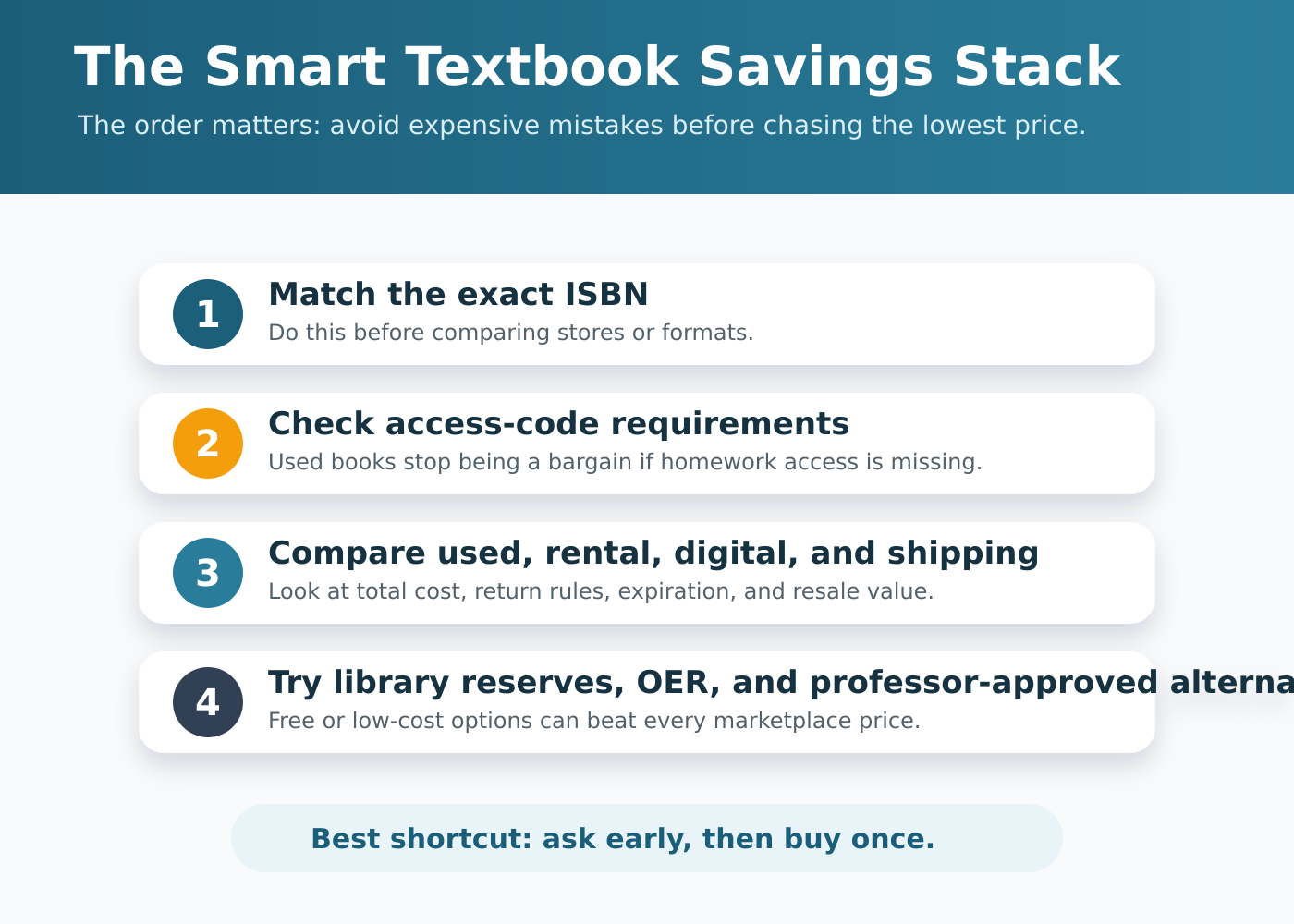
    Polished infographic showing a textbook savings stack: ISBN match, access-code check, format comparison, library and OER alternatives, and resale value.
    Use the savings stack in order: verify requirements first, then compare formats and free alternatives before buying.

    1) Start with the ISBN, not the bookstore listing

    The first step is boring, but it works. Search by ISBN, not just by title. A textbook title can hide multiple editions, bundled versions, and digital packages that look similar until checkout.

    Use this order:

    1. Copy the ISBN from the syllabus.
    2. Search that exact ISBN through Textbook Nova, your campus bookstore, used-book sellers, rental listings, and other marketplaces.
    3. Compare the total price, including shipping.
    4. Check whether the copy includes any online code or access portal.

    This matters because a “cheap” book can stop being cheap the second you learn it doesn’t include the code your class requires. If the professor only needs the text, you have more options. If the grade depends on the platform, the format matters more than the sticker price.

    If you want a broader strategy for this kind of comparison, our older guide on how to save money on textbooks still covers the basics. This update just adds the 2026 reality: the digital add-ons are often the trap.

    2) Don’t pay extra for the exact edition unless you have to

    Students get burned here all the time. A professor may say “latest edition required” when they really mean “the course will follow this text closely.” Those are not the same thing.

    Before you buy the newest version, ask:

    • Does the syllabus say the latest edition is required, or just recommended?
    • Are chapter numbers or page numbers used in assignments?
    • Will an older edition still match the homework well enough?
    • Is there a course pack or instructor notes that make the edition less important?

    If the answer is “recent edition is fine,” shop the used market first. Older editions are often dramatically cheaper, and they can be perfectly workable when the core concepts haven’t changed.

    This is one of the simplest ways to reduce costs without giving up the book itself.

    3) Buy used when the book is just a book

    Used textbooks still make sense when there’s no required code attached. That sounds obvious, but the fine print matters. A used copy is only a win if you can actually use it for the class.

    Used is usually your best move when:

    • the class uses the book for reading only,
    • homework is not tied to an online portal,
    • the professor allows an older edition,
    • and you plan to keep the book or resell it later.

    Used is a bad deal when:

    • the required access code is single-use,
    • the course is built around a digital homework system,
    • or the seller’s listing is vague about what’s included.

    If you buy used, check the condition notes carefully. “Good enough” can be fine for a reading-heavy class, but not if the pages are missing, highlighted to the point of distraction, or water-damaged.

    4) Choose rental or digital only when the math actually works

    Renting and digital access are not automatically cheaper. Sometimes they are. Sometimes they just move the cost around.

    Rent when:

    • you need the book for one term only,
    • you don’t care about keeping it,
    • and the rental total is clearly lower than used + resale risk.

    Choose digital when:

    • the class already requires a digital platform,
    • you prefer carrying less weight,
    • and the ebook price is meaningfully below print.

    But watch the hidden catches. A digital package might look cheaper until you realize it expires, locks you into a single device, or still requires a separate access code. That’s why the College Board’s 2025 report is useful here: it treats books and supplies as a budget category that can include hardcopy textbooks, online textbooks, rentals, and other supplies. In other words, your “book” cost may show up in more than one form.

    Rule of thumb: if you can resell a print book, include that in the comparison. If you can’t resell a rental or digital license, don’t pretend the up-front price tells the whole story.

    5) Watch for access codes and automatic billing before you click buy

    This is the biggest 2026 trap.

    Student PIRGs reports that access codes have become common in required coursework, and that many campuses now use automatic textbook billing. That means the cost can appear by default, not by choice.

    Before you pay, ask three questions:

    • Is the access code required for homework, quizzes, or grading?
    • Can I opt out of automatic billing?
    • Can I buy the material somewhere else and still complete the class?

    If the answer to the first question is yes, a used copy may not help unless it includes the code. If the answer to the second question is unclear, don’t assume the default charge is your only option. And if the bookstore or LMS is pushing an “inclusive access” style package, compare the real total before accepting it.

    A lot of students lose money here because they shop for the book first and discover the code problem later. Reverse that order.

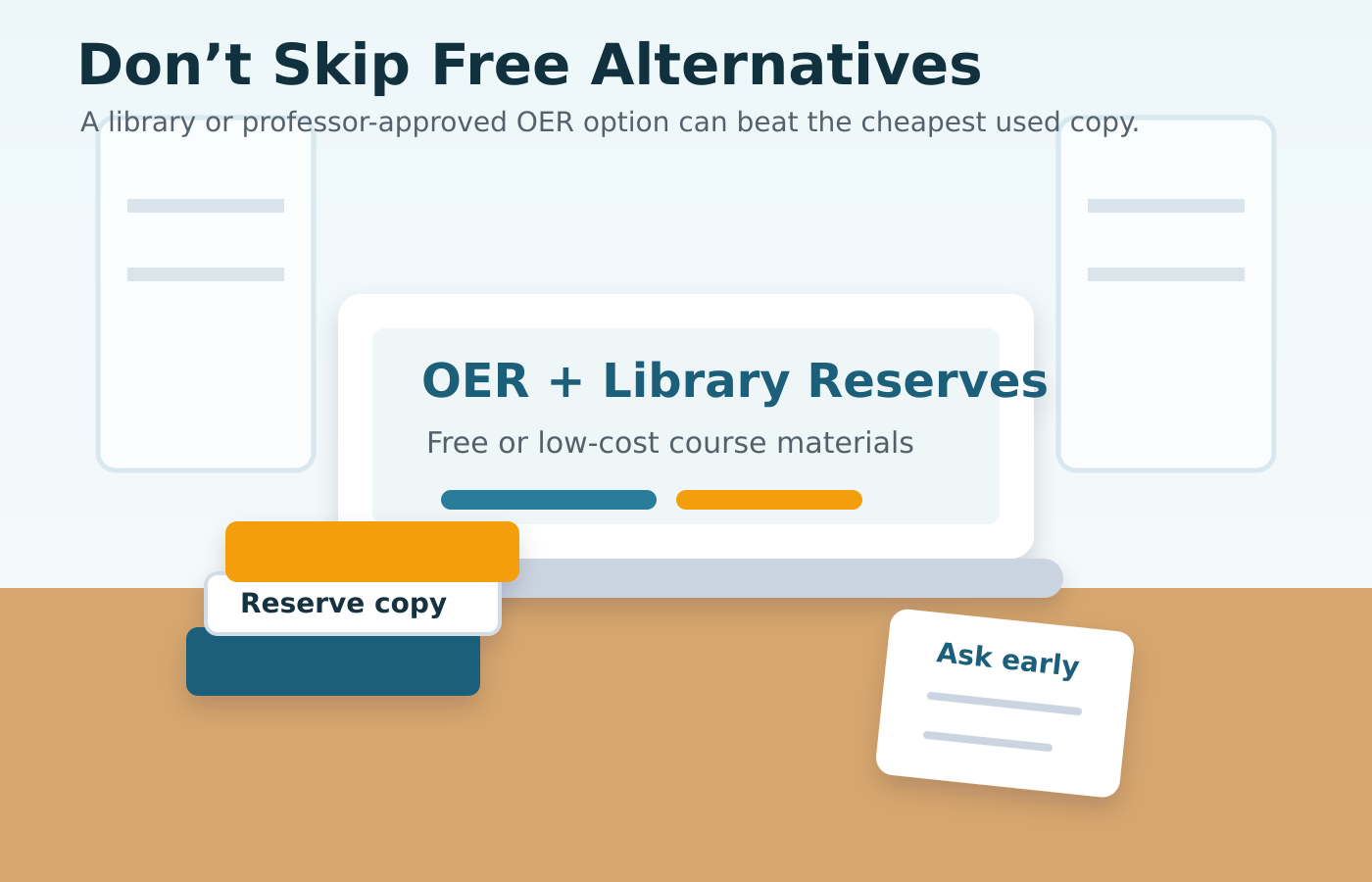
    Campus library study table with open educational resources on a laptop, reserve books, and course notes as textbook alternatives.
    Library reserves, ebooks, and OER can be just as important as used-book marketplaces when you are trying to lower course-material costs.

    6) Use library reserves, OER, and professor-approved alternatives

    This is where students can sometimes save the most.

    Start with your campus library. Some schools keep course reserves, ebook access, or short-term lending copies for high-demand classes. Those options are easy to miss, and they are often free.

    Next, look for open educational resources, or OER. Student PIRGs notes that growing awareness of open textbooks and other free materials has expanded access, even while the market has gotten more complicated. That means more courses may already have cheaper or free alternatives available.

    Here’s what to ask:

    • Does the library have a reserve copy or ebook license?
    • Is there an open textbook option for this course?
    • Will the professor accept a previous edition or alternate source?
    • Is the “required” book really required, or just recommended?

    If you’re stuck, ask early. Professors are usually much more flexible before the semester starts than after assignments are already underway.

    For context on why this problem keeps coming back, our post on why college textbooks are so expensive goes deeper on the publisher and bundling side.

    7) End the semester by deciding whether to resell, keep, or donate

    Saving money on textbooks does not end when you buy them. It ends when you decide what they’re worth to you after the class.

    Resell when:

    • the book is still current,
    • it’s a common title,
    • and you don’t need it for a later course.

    Keep when:

    • it’s a major reference for your field,
    • the content will matter in later classes,
    • or it’s a book you actually want on your shelf.

    Donate when:

    • resale value is basically gone,
    • another student can use it,
    • or your campus has a reuse program.

    Even a modest resale return changes the math on the next purchase. A $90 book that sells for $30 later is not the same as a $90 book that goes in the closet forever.

    The short version

    If you want the biggest savings, do these five things in order:

    1. Compare by ISBN.
    2. Verify whether the exact edition matters.
    3. Check for access codes before buying used.
    4. Compare rental, print, and digital on total cost.
    5. Use library reserves and OER whenever you can.

    That’s the 2026 textbook-saving playbook. The market is still messy, but students do have leverage when they shop in the right order.

    If you want more textbook-buying tips and learning-cost advice, start at Textbook Nova and work outward from there.